the browser-native workspacefor shipping perfect SVGs
Curvio gives you a fast, client-side canvas for fixing exports, drawing paths, adjusting effects, and preparing production-ready SVG assets. Everything stored locally on your device - zero sign-up required.
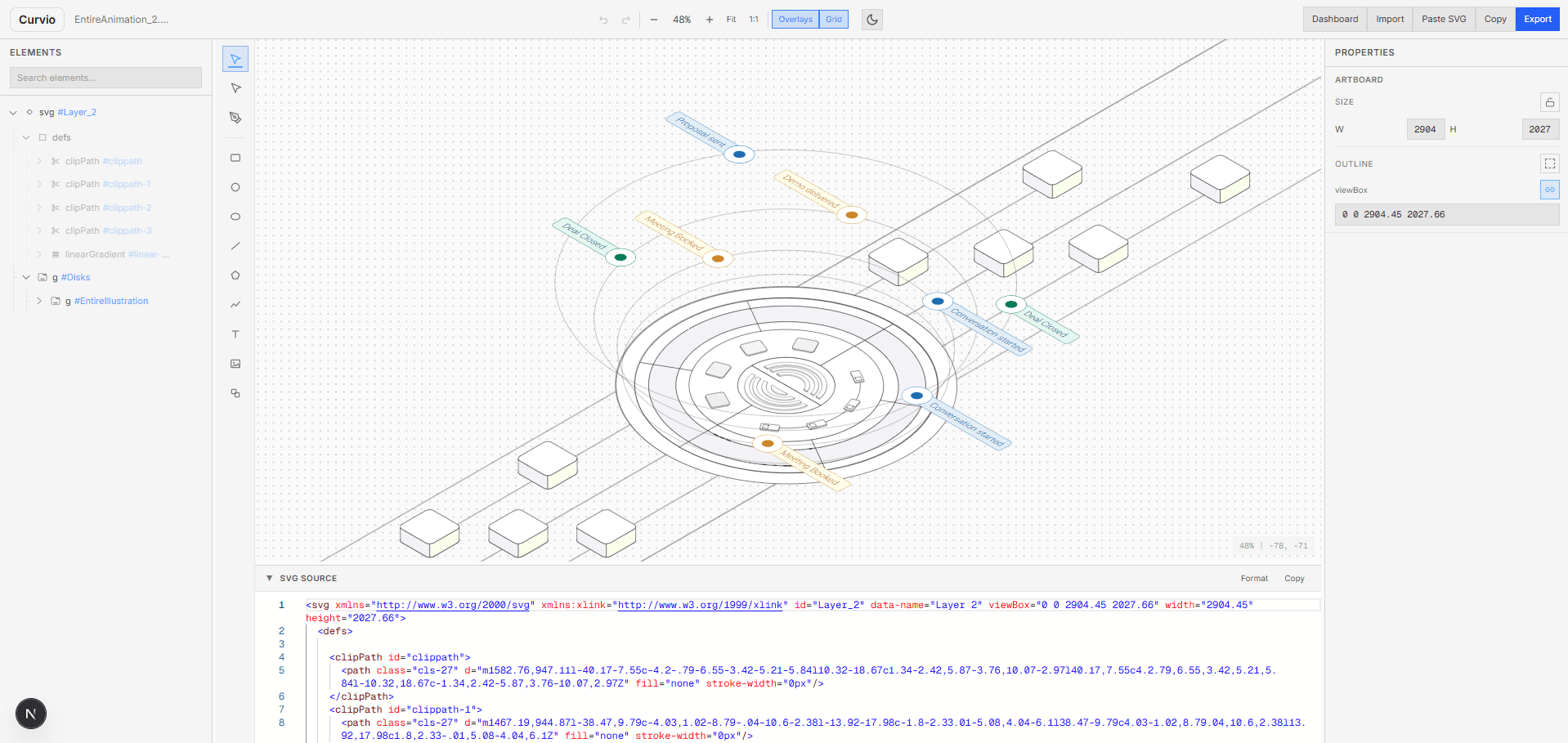
Full layer tree.
Every path, group, and mask — visible and editable in one panel.
Navigate complex SVGs with a collapsible layer tree. Select, reorder, rename, hide, and lock elements without touching code.
Code and canvas in sync.
Edit SVG source live, see changes render instantly on the artboard.
Built-in Monaco code editor with syntax highlighting, format, and copy. Click an element in the tree — the code scrolls to match.
Variants, side by side.
Compare two SVG variants with attribute-level diff highlighting.
Create duplicates, tweak colors and shapes, then compare. Only the changed attributes light up — so you see exactly what moved.
Everything you need.
A complete toolkit for editing, cleaning, and shipping SVGs — right in your browser.
Layers & Groups
Collapsible tree with drag-reorder, lock, hide, and rename for every node.
Pen Tool
Draw and edit Bézier paths directly on the canvas with snapping.
Live Code Editor
Monaco-powered SVG source editing with syntax highlighting and format.
Colors & Gradients
Visual color picker with HSV, hex, fill opacity, and gradient stops.
Variants & Diff
Create variants and compare them side-by-side with attribute-level diffs.
100% Local
Nothing leaves your browser. No sign-up, no cloud, no tracking.
Instant Load
Client-side parsing and rendering — your SVGs display in milliseconds.
Import & Export
Drag-drop import, clipboard paste, and native file export dialogs.
Direct manipulation.
Geometry, transforms, fills, strokes — all in a clean property panel.
Select any element and adjust every attribute visually. Changes update the SVG source and canvas in real time.
Start editing SVGs in your browser — it’s free, it’s fast, it’s local.
No account needed. Open the editor, drop in your file, and ship production-ready assets in minutes.